> ## Documentation Index
> Fetch the complete documentation index at: https://docs.gr4vy.com/llms.txt
> Use this file to discover all available pages before exploring further.

# Sezzle

> Connect to Sezzle to accept buy now, pay later payments in the United States and Canada.

export const connector = {
  displayName: "Sezzle",
  method: "sezzle",
  features: "create_transaction decremental_authorization delayed_capture delete_token partial_capture partial_refunds payment_method_tokenization redirect_requires_popup refunds requires_webhook_setup transaction_sync verify_credentials void",
  supportedCountries: "CA US",
  supportedCurrencies: "CAD USD"
};

export const ConnectorRegions = ({data, kind, name: nameOverride}) => {
  const [query, setQuery] = useState("");
  const [open, setOpen] = useState(false);
  const isCountries = kind === "countries";
  const raw = data && (isCountries ? data.supportedCountries : data.supportedCurrencies);
  const codes = typeof raw === "string" ? raw.split(/\s+/).filter(Boolean) : Array.isArray(raw) ? raw : [];
  const DISPLAY_NAME_OVERRIDES = {
    authorizenet: "Authorize.net",
    cardpointe: "Fiserv CardPointe",
    dlocal: "dLocal",
    shift4i4go: "Shift4 i4go",
    tokenex: "TokenEx"
  };
  const rawName = data && data.displayName || "";
  const name = nameOverride || DISPLAY_NAME_OVERRIDES[rawName.toLowerCase()] || rawName || "This connector";
  const verb = isCountries ? "supports transactions from buyers in" : "supports processing payments in";
  const noun = isCountries ? "countries" : "currencies";
  if (codes.length === 0) return null;
  let displayNames = null;
  try {
    displayNames = new Intl.DisplayNames(["en"], {
      type: isCountries ? "region" : "currency"
    });
  } catch (e) {
    displayNames = null;
  }
  const resolve = code => {
    if (!displayNames) return null;
    try {
      const resolved = displayNames.of(code);
      return resolved && resolved !== code ? resolved : null;
    } catch (e) {
      return null;
    }
  };
  const MAJOR_CURRENCIES = ["USD", "EUR", "GBP", "CAD", "AUD", "JPY", "CHF", "CNY", "SGD", "HKD", "NZD", "SEK", "NOK", "DKK", "MXN", "BRL", "INR"];
  const items = codes.map(code => ({
    code,
    label: resolve(code)
  }));
  if (isCountries) {
    items.sort((a, b) => (a.label || a.code).localeCompare(b.label || b.code));
  } else {
    const rank = code => {
      const i = MAJOR_CURRENCIES.indexOf(code);
      return i === -1 ? MAJOR_CURRENCIES.length : i;
    };
    items.sort((a, b) => rank(a.code) - rank(b.code) || a.code.localeCompare(b.code));
  }
  if (codes.length <= 3) {
    const parts = items.map(it => isCountries || !it.label ? it.label || it.code : `${it.label} (${it.code})`);
    const joined = parts.length === 1 ? parts[0] : parts.length === 2 ? `${parts[0]} and ${parts[1]}` : `${parts.slice(0, -1).join(", ")}, and ${parts[parts.length - 1]}`;
    return <p>
        {name} {verb} {joined}.
      </p>;
  }
  const chipStyle = {
    display: "inline-flex",
    alignItems: "baseline",
    gap: "0.4rem",
    padding: "0.15rem 0.55rem",
    borderRadius: "0.375rem",
    border: "1px solid rgba(128, 128, 128, 0.25)",
    fontSize: "0.875rem",
    lineHeight: 1.5
  };
  const codeStyle = {
    fontFamily: "var(--font-mono, ui-monospace, monospace)",
    fontWeight: 600,
    fontSize: "0.8125rem"
  };
  const controlStyle = {
    color: "inherit",
    background: "transparent",
    border: "1px solid rgba(128, 128, 128, 0.3)",
    borderRadius: "0.5rem",
    fontSize: "0.875rem"
  };
  const renderChip = it => <span key={it.code} style={chipStyle} title={isCountries ? it.code : it.label || it.code}>
      {isCountries ? it.label || it.code : <span style={codeStyle}>{it.code}</span>}
      {!isCountries && it.label ? <span style={{
    opacity: 0.7
  }}>{it.label}</span> : null}
    </span>;
  const PREVIEW = 5;
  const collapsible = items.length > PREVIEW;
  const q = query.trim().toLowerCase();
  const filtered = q ? items.filter(it => it.code.toLowerCase().includes(q) || it.label && it.label.toLowerCase().includes(q)) : items;
  const expanded = open || q !== "";
  const visible = !collapsible ? items : expanded ? filtered : items.slice(0, PREVIEW);
  const toggle = () => {
    const next = !open;
    setOpen(next);
    if (!next) setQuery("");
  };
  return <div>
      <p>
        {name} {verb} the following {codes.length} {noun}:
      </p>

      {collapsible ? <input type="text" value={query} onChange={e => setQuery(e.target.value)} placeholder={`Filter ${noun}…`} aria-label={`Filter ${noun}`} style={{
    ...controlStyle,
    display: "block",
    width: "100%",
    maxWidth: "22rem",
    padding: "0.4rem 0.7rem",
    margin: "0 0 0.75rem"
  }} /> : null}

      <div style={{
    display: "flex",
    flexWrap: "wrap",
    gap: "0.4rem"
  }}>
        {visible.map(renderChip)}
      </div>

      {q && filtered.length === 0 ? <p style={{
    opacity: 0.7,
    marginTop: "0.6rem"
  }}>
          No {noun} match “{query.trim()}”.
        </p> : null}
      {q && filtered.length > 0 ? <p style={{
    opacity: 0.6,
    fontSize: "0.8125rem",
    marginTop: "0.6rem"
  }}>
          Showing {filtered.length} of {items.length}.
        </p> : null}

      {collapsible && !q ? <button type="button" aria-expanded={open} onClick={toggle} style={{
    ...controlStyle,
    display: "inline-flex",
    alignItems: "center",
    gap: "0.4rem",
    padding: "0.35rem 0.75rem",
    marginTop: "0.75rem",
    cursor: "pointer"
  }}>
          <span aria-hidden="true" style={{
    display: "inline-block",
    transform: open ? "rotate(90deg)" : "none",
    transition: "transform 0.15s ease"
  }}>
            ›
          </span>
          {open ? "Show fewer" : `and ${items.length - PREVIEW} more`}
        </button> : null}
    </div>;
};

export const ConnectorCapabilities = ({data}) => {
  const CAPABILITIES = [{
    keys: ["three_d_secure_pass_through"],
    label: "3-D Secure",
    description: "Gr4vy runs the 3DS authentication and sends the results to the provider on the authorization.",
    cardOnly: true
  }, {
    keys: ["three_d_secure_hosted"],
    label: "3-D Secure (provider-hosted)",
    description: "The provider runs the 3DS authentication itself, redirecting the buyer to its own page.",
    cardOnly: true
  }, {
    keys: ["partial_authorization"],
    label: "Partial authorization",
    description: "Support partial approval responses."
  }, {
    keys: ["zero_auth"],
    label: "Zero auth",
    description: "Verify a card without charging it."
  }, {
    keys: ["void"],
    label: "Void",
    description: "Cancel an authorized transaction before capture."
  }, {
    keys: ["direct_capture"],
    label: "Direct capture",
    description: "Capture a payment immediately at authorization.",
    hideWhenUnsupported: true
  }, {
    keys: ["delayed_capture"],
    label: "Delayed capture",
    description: "Authorize a payment and capture it at a later time."
  }, {
    keys: ["partial_capture"],
    label: "Partial capture",
    description: "Capture a portion of the authorized amount."
  }, {
    keys: ["over_capture"],
    label: "Over capture",
    description: "Capture more than the originally authorized amount."
  }, {
    keys: ["refunds"],
    label: "Refunds",
    description: "Refund a captured payment."
  }, {
    keys: ["partial_refunds"],
    label: "Partial refunds",
    description: "Refund a portion of the captured amount."
  }, {
    keys: ["settlement_reporting"],
    label: "Settlement reporting",
    description: "Automatic settlement and reconciliation reporting."
  }, {
    keys: ["create_session"],
    label: "Create session",
    description: "Create a connector session for client-side flows."
  }, {
    keys: ["network_tokens_default", "network_tokens_toggle"],
    label: "Network tokens",
    description: "Network-level tokenization for improved approval rates.",
    cardOnly: true
  }, {
    keys: ["digital_wallets"],
    label: "Digital wallets",
    description: "Apple Pay, Google Pay, and other wallet integrations."
  }, {
    keys: ["payment_method_tokenization", "payment_method_tokenization_toggle"],
    label: "Payment method tokenization",
    description: "Store payment methods outside of transactions."
  }, {
    keys: ["transaction_sync"],
    label: "Transaction sync",
    description: "Synchronize transaction state from the connector."
  }, {
    keys: ["create_token"],
    label: "Tokenization",
    description: "Create a token from card details collected via Secure Fields.",
    hideWhenUnsupported: true
  }, {
    keys: ["delete_token"],
    label: "Delete token",
    description: "Delete a stored token.",
    hideWhenUnsupported: true
  }, {
    keys: ["verify_credentials"],
    label: "Verify credentials",
    description: "Validate the configured credentials against the connector.",
    hideWhenUnsupported: true
  }];
  const raw = data && data.features;
  const enabled = typeof raw === "string" ? new Set(raw.split(/\s+/).filter(Boolean)) : Array.isArray(raw) ? new Set(raw) : new Set(Object.keys(raw || ({})).filter(key => raw[key]));
  const isOn = entry => entry.keys.some(key => enabled.has(key));
  const isNonCard = data && data.method && data.method !== "card";
  const renderGroup = (title, entries, supported) => {
    if (entries.length === 0) return null;
    const mark = supported ? "✓" : "✕";
    const markColor = supported ? "#16a34a" : "#9ca3af";
    return <div style={{
      marginTop: "1rem"
    }}>
        <div style={{
      fontSize: "0.75rem",
      fontWeight: 600,
      letterSpacing: "0.05em",
      textTransform: "uppercase",
      opacity: 0.6,
      marginBottom: "0.25rem"
    }}>
          {title}
        </div>
        {}
        <div role="list">
          {entries.map(entry => <div role="listitem" key={entry.label} style={{
      display: "flex",
      gap: "0.5rem",
      alignItems: "baseline",
      padding: "0.3rem 0",
      opacity: supported ? 1 : 0.7
    }}>
              <span aria-hidden="true" style={{
      color: markColor,
      fontWeight: 700,
      flexShrink: 0
    }}>
                {mark}
              </span>
              <span>
                <strong>{entry.label}</strong>
                {entry.description ? <span style={{
      opacity: 0.85
    }}> — {entry.description}</span> : null}
              </span>
            </div>)}
        </div>
      </div>;
  };
  const visible = isNonCard ? CAPABILITIES.filter(entry => !entry.cardOnly) : CAPABILITIES;
  const supported = visible.filter(isOn);
  const unsupported = visible.filter(entry => !isOn(entry) && !entry.hideWhenUnsupported);
  return <div>
      {renderGroup("Supported", supported, true)}
      {renderGroup("Not supported", unsupported, false)}
    </div>;
};

Sezzle is a buy now, pay later (BNPL) payment method that allows buyers to split purchases into installments. Sezzle uses a redirect flow where the buyer sets up the payment plan on the Sezzle hosted page.

The buyer enters everything Sezzle needs to underwrite the plan on that page, so no underwriting data passes through Gr4vy.

## Setup

Request a Sezzle merchant account from the [Sezzle merchant sign-up page](https://dashboard.sezzle.com/merchant/signup).

## Credentials

To connect a Sezzle account, obtain the following credentials from the [Sezzle dashboard](https://dashboard.sezzle.com/merchant/settings/apikeys) under **Settings** > **API Keys**.

* **Public Key** - The public API key for the Sezzle account.
* **Private Key** - The private API key for the Sezzle account.

Sandbox keys are issued separately, from the [Sezzle sandbox dashboard](https://sandbox.dashboard.sezzle.com).

## Webhooks

Sezzle sends the outcome of a payment plan as a webhook, and Gr4vy uses those events to move the
transaction to its final state. Without a subscription, transactions stay in
`buyer_approval_pending` until they are synchronized.

Sezzle has no dashboard screen for webhook subscriptions, and Gr4vy does not register them for you,
so create the subscription yourself against Sezzle's API. Do this once per Sezzle account, before
you take live traffic.

Start with the webhook URL for your Sezzle payment service, which is the `webhook_url` field on the
payment service in the Gr4vy dashboard and API. Each payment service has its own URL.

Exchange your Sezzle keys for a token, then create the subscription:

```bash theme={"system"}
TOKEN=$(curl -s -X POST https://gateway.sezzle.com/v2/authentication \
  -H "Content-Type: application/json" \
  -d '{"public_key":"YOUR_PUBLIC_KEY","private_key":"YOUR_PRIVATE_KEY"}' \
  | jq -r .token)

curl -X POST https://gateway.sezzle.com/v2/webhooks \
  -H "Authorization: Bearer $TOKEN" \
  -H "Content-Type: application/json" \
  -d '{
    "url": "YOUR_GR4VY_WEBHOOK_URL",
    "events": ["customer.tokenized", "order.authorized", "order.captured", "order.refunded"]
  }'
```

Use `https://sandbox.gateway.sezzle.com` and your sandbox keys when setting this up for a sandbox
environment.

Those four events are the ones Gr4vy acts on. Subscribing to others has no effect.

<Note>
  Sending a second subscription adds to the existing ones rather than replacing them, and Sezzle
  delivers every event to each. Check what is already registered with
  `curl -H "Authorization: Bearer $TOKEN" https://gateway.sezzle.com/v2/webhooks` before creating
  another.
</Note>

Sezzle treats an HTTP 200 as delivery, and retries anything else for up to five days. If every retry
fails, Sezzle deletes the subscription and it has to be created again.

## Capabilities

<ConnectorCapabilities data={connector} />

## Supported countries

<ConnectorRegions data={connector} kind="countries" />

## Supported currencies

<ConnectorRegions data={connector} kind="currencies" />

## Limitations

* **Standalone tokenization is not supported.** A Sezzle payment method can only be stored as part
  of a transaction the buyer approves. Set `store` to `true` on transaction creation, as described
  in [Subscriptions (MIT)](#subscriptions-mit).
* **Multiple captures are not supported.** An authorization can be captured once, in full or in
  part.
* **Disputes and chargebacks are not reported.** Manage Sezzle disputes in the Sezzle dashboard.
* **Settlement reporting is not supported.** Sezzle transactions do not appear in the consolidated
  settlement report.

## Integration

The default integration for Sezzle uses a redirect to a hosted payments page.

Start by creating a new transaction with the following required fields.

<CodeGroup>
  ```csharp C# theme={"system"}
  var transaction = await client.Transactions.CreateAsync(
    transactionCreate: new TransactionCreate()
    {
      Amount = 5000,
      Currency = "USD",
      Country = "US",
      PaymentMethod =
        TransactionCreatePaymentMethod.CreateRedirectPaymentMethodCreate(
          new RedirectPaymentMethodCreate()
          {
            Method = "sezzle",
            Country = "US",
            Currency = "USD",
            RedirectUrl = "https://example.com/callback",
          }
        ),
    }
  );
  ```

  ```go Go theme={"system"}
  amount := int64(5000)
  currency := "USD"
  country := "US"
  method := components.RedirectPaymentMethodCreateMethodSezzle
  redirectUrl := "https://example.com/callback"

  redirectPaymentMethodCreate := components.RedirectPaymentMethodCreate{
    Method: method,
    Country: country,
    Currency: currency,
    RedirectURL: redirectUrl,
  }
  paymentMethod := components.CreateTransactionCreatePaymentMethodRedirectPaymentMethodCreate(redirectPaymentMethodCreate)

  transactionCreate := components.TransactionCreate{
    Amount:        amount,
    Currency:      currency,
    Country:       &country,
    PaymentMethod: &paymentMethod,
  }

  transaction, err := client.Transactions.Create(ctx, transactionCreate, nil, nil, nil)
  ```

  ```java Java theme={"system"}
  CreateTransactionResponse transactionResponse = gr4vyClient.transactions().create()
    .transactionCreate(TransactionCreate.builder()
      .amount(5000L)
      .currency("USD")
      .country("US")
      .paymentMethod(TransactionCreatePaymentMethod.of(RedirectPaymentMethodCreate.builder()
        .method(RedirectPaymentMethodCreateMethod.SEZZLE)
        .country("US")
        .currency("USD")
        .redirectUrl("https://example.com/callback")
        .build()))
      .build())
    .call();

  Transaction transaction = transactionResponse.transaction().orElse(null);
  ```

  ```php PHP theme={"system"}
  $transactionCreate = new TransactionCreate(
    amount: 5000,
    currency: 'USD',
    country: 'US',
    paymentMethod: new RedirectPaymentMethodCreate(
      method: 'sezzle',
      country: 'US',
      currency: 'USD',
      redirectUrl: 'https://example.com/callback'
    )
  );
  $response = $client->transactions->create($transactionCreate);
  $transaction = $response->transaction;
  ```

  ```python Python theme={"system"}
  transaction: models.Transaction = client.transactions.create(
    amount=5000,
    currency="USD",
    country="US",
    payment_method={
      "method": "sezzle",
      "country": "US",
      "currency": "USD",
      "redirect_url": "https://example.com/callback",
    }
  )
  ```

  ```ts TypeScript theme={"system"}
  const transaction = await client.transactions.create({
    amount: 5000,
    currency: "USD",
    country: "US",
    paymentMethod: {
      method: "sezzle",
      country: "US",
      currency: "USD",
      redirectUrl: "https://example.com/callback"
    }
  })
  ```
</CodeGroup>

After the transaction is created, the API response includes a `payment_method.approval_url` and the status is set to `buyer_approval_pending`. The approval URL expires after 30 minutes.

```json theme={"system"}
{
  "type": "transaction",
  "id": "ea1efdd0-20f9-44d9-9b0b-0a3d71e9b625",
  "payment_method": {
    "type": "payment-method",
    "approval_url": "https://cdn.gr4vy.com/connectors/..."
  },
  "method": "sezzle"
}
```

Open the `approval_url` in a popup so the buyer can set up their payment plan with Sezzle. After the
buyer approves, they are redirected to the `redirect_url` you provided when creating the
transaction. Do not rely solely on the redirect — either poll the transaction or (recommended) rely
on webhooks to detect the final status, for example `authorization_succeeded` or
`capture_succeeded`.

### Cart items

Cart items are optional for Sezzle. When you send them, Gr4vy forwards the line items and any
discounts to Sezzle, and Sezzle displays them on the plan setup page. Cart items do not have to add
up to the transaction amount.

## Subscriptions (MIT)

Sezzle supports storing the buyer's payment method during the first (customer-present) payment and
charging future renewals as merchant-initiated transactions (MIT) using the saved payment method,
with no redirect.

<Note>
  Storing a payment method relies on a webhook from Sezzle. Make sure the webhook subscription is in
  place for your Sezzle account before using `store: true`, as described in [Webhooks](#webhooks).
</Note>

### Buyer approval for reuse

Sezzle asks the buyer to approve reuse on its own hosted page, separately from any prompt in your
checkout. Sezzle requires this for its own records, so it can't be pre-selected or collected on your
behalf. Setting `store` to `true` is what makes Sezzle show the approval.

By default the buyer can finish the purchase without granting it. The payment still succeeds, but no
reusable payment method is created, so a checkout that offers the buyer the choice can leave you with
a stored payment method you can't charge again.

To close that gap, ask Sezzle to make the approval mandatory for your merchant account. The buyer
then can't complete the purchase without granting reuse, and the requirement applies only to
transactions where you set `store` to `true`. Sezzle is working on a way to set this per transaction
instead, which will remove the account-level step.

Either way, treat a stored Sezzle payment method as usable only once it reports a status of
`succeeded`. Don't assume it from a successful payment.

### First payment

Set `store` to `true` to save the Sezzle payment method for the buyer. The buyer approves both the
payment and the stored payment method on the Sezzle hosted page.

<CodeGroup>
  ```csharp C# theme={"system"}
  var transaction = await client.Transactions.CreateAsync(
    transactionCreate: new TransactionCreate()
    {
      Amount = 5000,
      Currency = "USD",
      Country = "US",
      PaymentMethod =
        TransactionCreatePaymentMethod.CreateRedirectPaymentMethodCreate(
          new RedirectPaymentMethodCreate()
          {
            Method = "sezzle",
            Country = "US",
            Currency = "USD",
            RedirectUrl = "https://example.com/callback",
          }
        ),
      Store = true,
      PaymentSource = "recurring",
    }
  );
  ```

  ```go Go theme={"system"}
  amount := int64(5000)
  currency := "USD"
  country := "US"
  method := components.RedirectPaymentMethodCreateMethodSezzle
  redirectUrl := "https://example.com/callback"
  store := true

  redirectPaymentMethodCreate := components.RedirectPaymentMethodCreate{
    Method: method,
    Country: country,
    Currency: currency,
    RedirectURL: redirectUrl,
  }
  paymentMethod := components.CreateTransactionCreatePaymentMethodRedirectPaymentMethodCreate(redirectPaymentMethodCreate)

  transactionCreate := components.TransactionCreate{
    Amount:        amount,
    Currency:      currency,
    Country:       &country,
    PaymentMethod: &paymentMethod,
    Store:         &store,
    PaymentSource: gr4vy.Pointer(components.TransactionPaymentSourceRecurring),
  }

  transaction, err := client.Transactions.Create(ctx, transactionCreate, nil, nil, nil)
  ```

  ```java Java theme={"system"}
  CreateTransactionResponse transactionResponse = gr4vyClient.transactions().create()
    .transactionCreate(TransactionCreate.builder()
      .amount(5000L)
      .currency("USD")
      .country("US")
      .paymentMethod(TransactionCreatePaymentMethod.of(RedirectPaymentMethodCreate.builder()
        .method(RedirectPaymentMethodCreateMethod.SEZZLE)
        .country("US")
        .currency("USD")
        .redirectUrl("https://example.com/callback")
        .build()))
      .store(true)
      .paymentSource(TransactionPaymentSource.RECURRING)
      .build())
    .call();

  Transaction transaction = transactionResponse.transaction().orElse(null);
  ```

  ```php PHP theme={"system"}
  $transactionCreate = new TransactionCreate(
    amount: 5000,
    currency: 'USD',
    country: 'US',
    paymentMethod: new RedirectPaymentMethodCreate(
      method: 'sezzle',
      country: 'US',
      currency: 'USD',
      redirectUrl: 'https://example.com/callback'
    ),
    store: true,
    paymentSource: 'recurring'
  );
  $response = $client->transactions->create($transactionCreate);
  $transaction = $response->transaction;
  ```

  ```python Python theme={"system"}
  transaction: models.Transaction = client.transactions.create(
    amount=5000,
    currency="USD",
    country="US",
    payment_method={
      "method": "sezzle",
      "country": "US",
      "currency": "USD",
      "redirect_url": "https://example.com/callback",
    },
    store=True,
    payment_source="recurring"
  )
  ```

  ```ts TypeScript theme={"system"}
  const transaction = await client.transactions.create({
    amount: 5000,
    currency: "USD",
    country: "US",
    paymentMethod: {
      method: "sezzle",
      country: "US",
      currency: "USD",
      redirectUrl: "https://example.com/callback"
    },
    store: true,
    paymentSource: "recurring"
  })
  ```
</CodeGroup>

### Subsequent payment

After the payment method is saved, use the payment method ID to charge future renewals.

* Set `payment_method.method` to `id` and pass the saved payment method ID.
* Set `payment_source` to `recurring`.
* Set `merchant_initiated` and `is_subsequent_payment` to `true`.

<CodeGroup>
  ```csharp C# theme={"system"}
  var transaction = await client.Transactions.CreateAsync(
    transactionCreate: new TransactionCreate()
    {
      Amount = 5000,
      Currency = "USD",
      Country = "US",
      PaymentMethod = TransactionCreatePaymentMethod.CreateTokenPaymentMethodCreate(
        new TokenPaymentMethodCreate()
        {
          Id = "c2495b14-ca95-4199-87c3-27cbfefcbe9e",
        }
      ),
      PaymentSource = "recurring",
      MerchantInitiated = true,
      IsSubsequentPayment = true,
    }
  );
  ```

  ```go Go theme={"system"}
  amount := int64(5000)
  currency := "USD"
  country := "US"
  merchantInitiated := true
  isSubsequentPayment := true

  tokenPaymentMethodCreate := components.TokenPaymentMethodCreate{
    ID: "c2495b14-ca95-4199-87c3-27cbfefcbe9e",
  }
  paymentMethod := components.CreateTransactionCreatePaymentMethodTokenPaymentMethodCreate(tokenPaymentMethodCreate)

  transactionCreate := components.TransactionCreate{
    Amount:              amount,
    Currency:            currency,
    Country:             &country,
    PaymentMethod:       &paymentMethod,
    PaymentSource:       gr4vy.Pointer(components.TransactionPaymentSourceRecurring),
    MerchantInitiated:   &merchantInitiated,
    IsSubsequentPayment: &isSubsequentPayment,
  }

  transaction, err := client.Transactions.Create(ctx, transactionCreate, nil, nil, nil)
  ```

  ```java Java theme={"system"}
  CreateTransactionResponse transactionResponse = gr4vyClient.transactions().create()
    .transactionCreate(TransactionCreate.builder()
      .amount(5000L)
      .currency("USD")
      .country("US")
      .paymentMethod(TransactionCreatePaymentMethod.of(TokenPaymentMethodCreate.builder()
        .id("c2495b14-ca95-4199-87c3-27cbfefcbe9e")
        .build()))
      .paymentSource(TransactionPaymentSource.RECURRING)
      .merchantInitiated(true)
      .isSubsequentPayment(true)
      .build())
    .call();

  Transaction transaction = transactionResponse.transaction().orElse(null);
  ```

  ```php PHP theme={"system"}
  $transactionCreate = new TransactionCreate(
    amount: 5000,
    currency: 'USD',
    country: 'US',
    paymentMethod: new TokenPaymentMethodCreate(
      id: 'c2495b14-ca95-4199-87c3-27cbfefcbe9e'
    ),
    paymentSource: 'recurring',
    merchantInitiated: true,
    isSubsequentPayment: true
  );
  $response = $client->transactions->create($transactionCreate);
  $transaction = $response->transaction;
  ```

  ```python Python theme={"system"}
  transaction: models.Transaction = client.transactions.create(
    amount=5000,
    currency="USD",
    country="US",
    payment_method=models.TokenPaymentMethodCreate(
      id="c2495b14-ca95-4199-87c3-27cbfefcbe9e"
    ),
    payment_source="recurring",
    merchant_initiated=True,
    is_subsequent_payment=True
  )
  ```

  ```ts TypeScript theme={"system"}
  const transaction = await client.transactions.create({
    amount: 5000,
    currency: "USD",
    country: "US",
    paymentMethod: {
      method: "id",
      id: "c2495b14-ca95-4199-87c3-27cbfefcbe9e"
    },
    paymentSource: "recurring",
    merchantInitiated: true,
    isSubsequentPayment: true
  })
  ```
</CodeGroup>

Subsequent payments are charged against the stored payment method without a redirect, so the
transaction reaches `authorization_succeeded` or `capture_succeeded` in the create response.

## On-site messaging

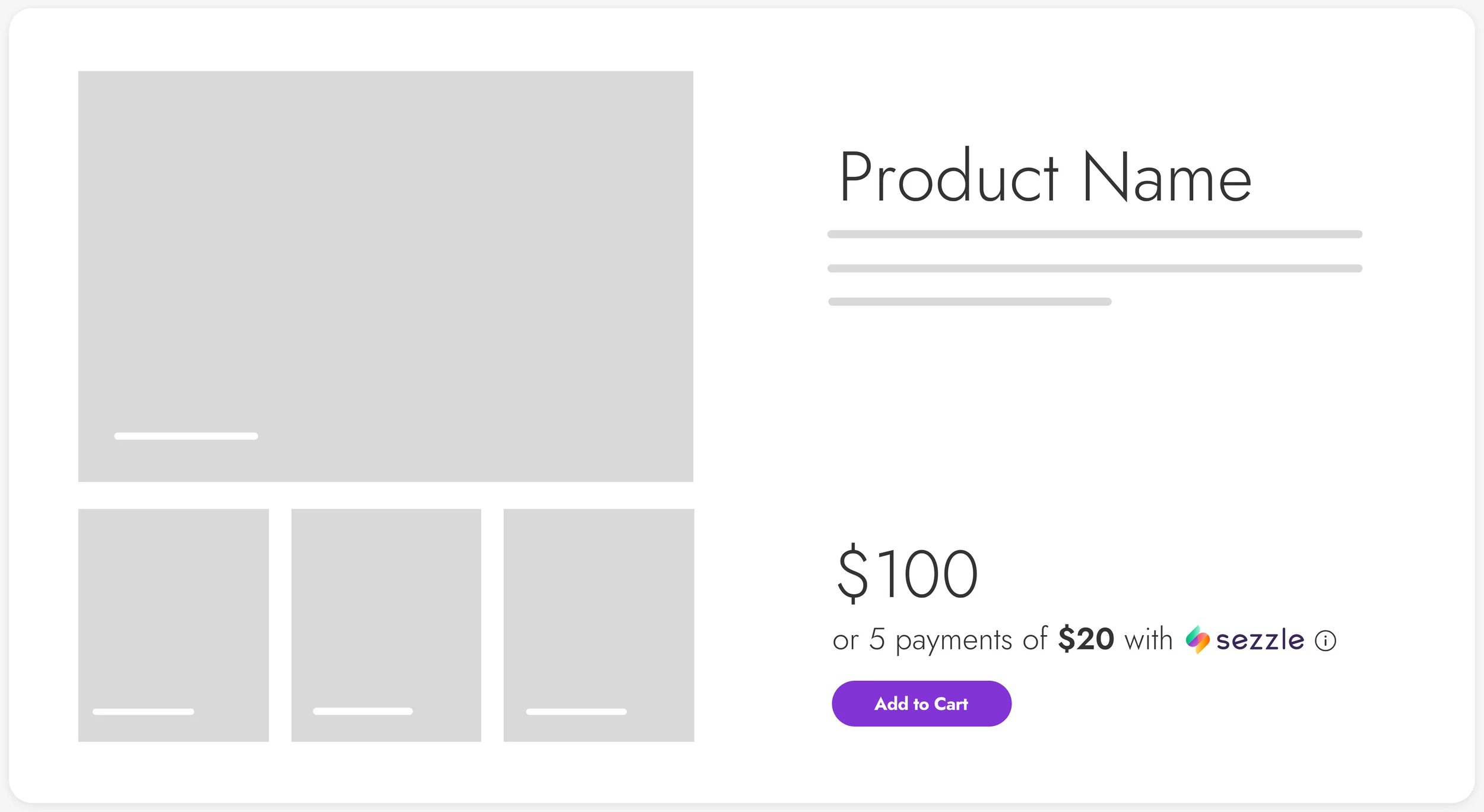
Sezzle offers an On-Site Messaging Widget that displays the installment breakdown for an item on your
product and cart pages, before the buyer reaches checkout. The widget is a script you add to your own
site, configured with the merchant ID from your Sezzle dashboard. It is independent of the Gr4vy
integration, and Gr4vy does not host or configure it.

<Frame caption="Sezzle On-Site Messaging Widget on a product page">
  <img src="https://mintcdn.com/gr4vy/rxLJmzpTYwiRpgvV/connections/assets/sezzle_on_site_messaging.png?fit=max&auto=format&n=rxLJmzpTYwiRpgvV&q=85&s=dcfec772676eb52a3ee6a41da097bc05" alt="A product page showing a price of 100, with the Sezzle widget below it offering 5 payments of 20." width="2500" height="1368" data-path="connections/assets/sezzle_on_site_messaging.png" />
</Frame>

For installation and configuration options, see the
[Sezzle On-Site Messaging Widget documentation](https://docs.sezzle.com/docs/guides/widgets/sdk).

## Testing

Sezzle issues sandbox API keys separately from live keys. Generate them in the
[Sezzle sandbox dashboard](https://sandbox.dashboard.sezzle.com), and configure them on a Gr4vy
connection in your sandbox environment.

### Setting up a plan as a buyer

The Sezzle hosted page asks the buyer to sign in or create a Sezzle account. That account is
separate from your Sezzle merchant account, and in sandbox every detail except the email address
can be fictional.

* **Order total** - Keep the transaction between `2000` and `250000` (20.00 and 2,500.00 USD). Sezzle's
  sandbox rejects totals outside that range.
* **Phone number** - Any correctly formatted number. Sezzle validates the format but doesn't send a
  message in sandbox.
* **One-time password (OTP)** - Always `123123`, for both phone and email.
* **Social security number (SSN)** - Use `123-54-6789` to test an accepted plan, or `987-65-4321` to
  test a rejected one.

### Test cards

Sezzle accepts the following card numbers in sandbox, with any future expiry date and any 3-digit
security code. American Express uses a 4-digit security code. Prefer the Visa or Mastercard number
when setting a default card, as described in
[Testing a stored payment method](#testing-a-stored-payment-method).

| Scheme           | Number             |
| ---------------- | ------------------ |
| American Express | `378282246310005`  |
| Discover         | `6011111111111117` |
| Mastercard       | `5555555555554444` |
| Visa             | `4242424242424242` |

### Test bank accounts

When the buyer pays from a bank account instead of a card, use the following details.

| Currency | Details                                                    |
| -------- | ---------------------------------------------------------- |
| CAD      | Institution `000`, transit `11000`, account `000123456789` |
| USD      | Routing `110000000`, account `000123456789`                |

### Testing a stored payment method

Sezzle runs its own risk and approval checks on every order, including orders charged against a
stored payment method, and declines one where the buyer has no default card on file. A sandbox shopper account can
reach that state even after completing the tokenization flow, which leaves you with a stored payment
method that looks valid but declines on every charge.

Before testing a merchant-initiated transaction, sign in to the shopper account at the
[Sezzle customer dashboard](https://sandbox.dashboard.sezzle.com/customer/) and set a default card,
using the Visa or Mastercard number above.

For further test values, see the [Sezzle test cards](https://docs.sezzle.com/docs/api/test-cards#test-credit-cards).

## Common issues

<AccordionGroup>
  <Accordion title="A transaction stays in buyer_approval_pending after the buyer approves">
    Sezzle reports the outcome of a payment plan by webhook, and Gr4vy needs that event to move the
    transaction to its final state. If no webhook subscription is registered against your Sezzle
    account, the buyer completes the plan on Sezzle's page and returns to your site, but the transaction
    never leaves `buyer_approval_pending`.

    Check the order in the Sezzle dashboard. If it shows as authorized there but not in Gr4vy, the
    subscription is missing. See [Webhooks](#webhooks).

    Synchronizing the transaction also resolves it, but that is a recovery step rather than a
    substitute for the subscription.
  </Accordion>

  <Accordion title="A charge against a stored payment method is declined">
    Sezzle runs its full risk, approval and good-standing checks on every order, including orders
    charged against a stored payment method. One of those checks is that the buyer has a default card on
    file with Sezzle, and an order from a buyer without one is declined.

    The stored payment method is still valid, so nothing about it signals the problem. The transaction
    declines and the order shows as not approved on Sezzle's side.

    Only the buyer can resolve this, by setting a default card in their Sezzle account. When testing,
    set one on the sandbox shopper account as described in
    [Testing a stored payment method](#testing-a-stored-payment-method).
  </Accordion>

  <Accordion title="A stored payment method never becomes usable">
    Sezzle asks the buyer to approve reuse on its own page, and the buyer can decline it while still
    completing the purchase. When that happens the payment succeeds but no reusable payment method is
    created, so the payment method stays unusable and later charges against it fail.

    Ask Sezzle to make the approval mandatory for your merchant account, as described in
    [Buyer approval for reuse](#buyer-approval-for-reuse). Until then, check that the payment method
    reports a status of `succeeded` before charging it again.
  </Accordion>

  <Accordion title="Sezzle rejects the order amount">
    Sezzle applies its own minimum and maximum order amounts, and rejects a transaction outside that
    range with a message naming the limit. The limits depend on your account and on the buyer, so a
    value that works for one buyer can be declined for another.

    In sandbox, keep the order total between `2000` and `250000` (20.00 and 2,500.00 USD). For live limits,
    check with Sezzle.
  </Accordion>
</AccordionGroup>